
Literal Word Bible App
Literal WordBooks & Reference
4.91.07K Reviews
- Version
- 4.4.9
- Installs
- 100.00K
- Age Rating
- Everyone
Screenshots
Our Review of Literal Word Bible App
 Analysis by Appyee
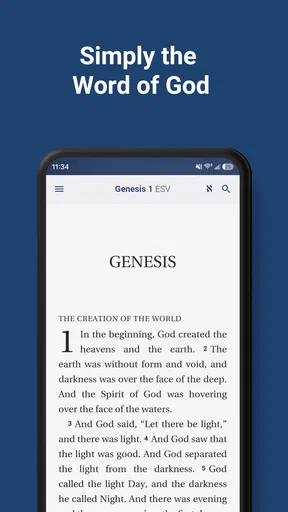
I approached Literal Word as a reading tool rather than as another app competing for my attention. That distinction matters. Its purpose is narrow and clear: it is a free Bible app from Literal Word, placed in the Books & Reference category, and it keeps the focus on reading Scripture instead of surrounding it with a large social or entertainment layer. After spending time with it, I found the appeal strongest for people who want a calm, direct way to open the Bible on a phone and return to it regularly.
The app has earned a 4.9 average from around 3,500 ratings, with more than 100,000 installs. Those figures suggest that its straightforward approach connects with a substantial audience, but they do not make it perfect for every reader. The experience is best understood as a focused digital Bible: useful when you already know why you are opening it, less convincing if you expect a complete study platform with extensive guided material, community tools, or a broad library of religious books.
How Literal Word fits into everyday Bible reading
My first impression was that the app makes sense for a simple routine. I can imagine opening it before work, during a quiet break, or at the end of the day when I want to read a passage without first navigating through unrelated content. That directness is the main strength. Many reference apps try to become dashboards filled with recommendations, plans, notes, audio, articles, and notifications. Literal Word takes a more restrained position, which can make the act of finding and reading a passage feel less distracted.
A realistic use case is a reader who has selected a book of the Bible to work through gradually. Instead of relying on a paper copy that may not be nearby, the phone provides an immediately available reference. I found this particularly practical for short reading sessions: choosing a passage, reading it in context, and closing the app without feeling pulled into a separate content feed. It also suits someone who moves between home, work, and travel and does not want to carry a physical volume everywhere.
That simplicity is not the same as being empty. A good Bible app needs to make basic actions feel dependable: opening Scripture, moving through chapters, returning to a familiar place, and reading without unnecessary friction. Literal Word’s value is concentrated in those fundamentals. I would recommend it first to readers who want a clean companion for regular Bible reading, personal reflection, or quick reference during a conversation.
The free price also lowers the barrier to trying it. There is no purchase decision to make before finding out whether its reading style suits you. Its Everyone content rating makes it appropriate for a broad audience, including households looking for a Bible app that can be placed on a shared device. I still think individual preferences matter more than the rating: readers who need academic tools, extensive cross-references, or a highly customized study workspace may quickly want something more specialized.
A focused alternative to larger Bible platforms
Compared with a printed Bible, the obvious advantage is portability. A phone is already with me, so the app removes the need to remember a separate book. Digital navigation can also be quicker when I want to reach a particular passage rather than turn through pages manually. The trade-off is equally obvious: reading on a phone places Scripture alongside messages, alerts, and other distractions. Literal Word can keep its own experience focused, but it cannot make the device itself quiet.
Compared with large Bible platforms, the difference is one of emphasis. Bigger alternatives often try to serve many kinds of users at once: people following devotional plans, people listening to audio, people comparing translations, and people participating in a social reading community. That breadth can be valuable, but it can also make a basic reading session feel busy. Literal Word is a better fit when I want the Bible itself to remain the center of the screen and the session.
On the other hand, a larger platform is the better choice for someone who wants a structured study workflow in one place. If your normal routine involves extensive annotation, multiple reference resources, media content, or a strong community component, a narrowly focused app may feel limited even if its core reading experience is pleasant. I would not choose Literal Word simply because it is popular; I would choose it because its restraint matches the way I intend to read.
What the current version says about the product’s direction
The current version is 4.4.9, and the app has been available since April 30, 2019. That history gives the product a more established feel than a newly released reader. It has had time to develop beyond an initial experiment, while the current version shows that the app is still maintained as an active product rather than being left in its earliest form.
I see that evolution as important for existing users. A Bible app is not something most people want to relearn every few weeks. Familiar navigation and a stable reading habit matter more here than flashy redesigns. The version history, viewed through the current release, suggests a product that has continued moving forward while keeping its central identity intact: a free app built around access to the Word of God rather than around a larger entertainment ecosystem.
That does not mean every update will feel dramatic. For this kind of app, improvement can be quiet. Better reliability, smoother movement between passages, and a more settled reading experience may be more valuable than a long list of visible additions. I would judge the app by whether it supports repeated use without getting in the way, not by whether each release introduces a headline feature.
For someone installing it today, the practical point is compatibility. The minimum requirement is Android 6.0, so it remains accessible on a wide range of Android phones. That is helpful for readers who do not replace devices frequently. At the same time, users on older hardware should keep their expectations realistic: broad compatibility does not automatically mean every older phone will feel equally quick or comfortable, especially when screen size, storage, and general device condition vary.
How the current approach affects regular users
For an existing reader, the biggest benefit of a focused app is habit preservation. If I have a familiar place to open when I want to read, I am less likely to postpone the session while searching through a more complicated interface. The app works best when it becomes part of a simple pattern: open it at a chosen time, read a manageable passage, and leave with the thought still fresh rather than continuing through unrelated material.
There is also a useful psychological advantage to limiting the number of decisions. A crowded Bible platform can make me wonder which plan to follow, which article to read, or which feature I should configure. Literal Word’s narrower identity reduces that decision fatigue. For a new reader, this can make the first step less intimidating. For an experienced reader, it can provide a dependable fallback when a more elaborate study setup is not necessary.
One practical tip is to decide before opening the app what kind of session I am having. If I want a quick reference, I should go straight to the passage and avoid turning a two-minute question into an unfocused browsing session. If I want reflection, I should choose the passage beforehand and give myself enough uninterrupted time. The app’s simplicity works better when I bring a clear purpose to it.
Another useful trade-off is using the phone as a dedicated reading window rather than treating it like a general-purpose feed. I would silence notifications, increase the text size if needed, and place the device somewhere that makes reading comfortable. These are not special functions of Literal Word, but they change how well a focused Bible app performs in real life. The app can reduce in-app distraction; the reader still controls the surrounding phone environment.
Families and small groups may also find it useful as a shared reference. A person can keep the app available for a discussion, a church reading, or a moment when someone asks about a passage. The free model makes casual adoption easier, while the Everyone rating avoids making the app feel restricted to a narrow age group. I would still encourage each person to test the reading experience on their own device, because screen comfort and personal preferences can differ considerably.
Where the focused design may fall short
The same narrow focus that makes Literal Word approachable can become its main limitation. Readers who want a full study environment may find themselves switching to another app or a web resource for deeper research. That additional step is not necessarily a problem, but it breaks the all-in-one workflow that some people prefer. If your Bible reading normally includes several supporting resources at once, convenience may matter more to you than simplicity.
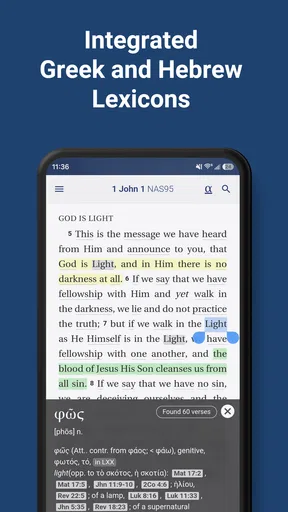
I would also hesitate to recommend it as the only tool for serious academic study without first checking whether its available reading and reference functions match your method. A focused Bible reader can be excellent for returning to the text, but advanced study often depends on comparing editions, examining original-language material, consulting commentaries, or organizing detailed notes. Those needs belong to a different class of application. Literal Word is more convincing as the daily reading layer than as a complete research desk.
There is a second limitation that affects almost every mobile Bible app: the phone is not always the most restful reading surface. A printed Bible offers a physical separation from notifications and other apps. A tablet may provide a more comfortable page for longer sessions. Literal Word gives me convenience and availability, but I would still choose paper or a larger screen when I plan to read for an extended period and want fewer digital interruptions.
New users should also understand that a simple interface may require a little patience at first. When an app does not surround the main text with many obvious controls, the experience can feel less guided than a devotional platform. I see that as a design trade-off rather than a defect. People who enjoy discovering tools and building a customized study system may prefer a richer alternative, while people who want fewer obstacles are more likely to appreciate this approach.
Who should install it, and who should look elsewhere?
I would point Literal Word toward someone who wants a free Bible app for consistent reading, quick passage lookup, or a low-distraction reference on an Android phone. It is also a sensible starting point for a person who feels overwhelmed by feature-heavy alternatives. The app’s established availability, current version 4.4.9, and broad Android compatibility make it easy to consider as a practical everyday option rather than a novelty.
I would be more cautious with a reader whose main goal is guided spiritual content. If you want a daily plan that actively tells you what to read, extensive devotional commentary, audio-led sessions, or a strong social layer, another Bible platform may fit better. The same applies to researchers who need a dense collection of scholarly resources. Literal Word can sit alongside those tools, but I would not assume it replaces them.
For someone deciding between this app and a paper Bible, I would frame the choice around context instead of loyalty. Choose Literal Word when availability, portability, and quick navigation matter. Choose paper when you want a screen-free session, a physical sense of place on the page, or a reading environment that naturally keeps other phone activity away. Many readers will reasonably use both: the app for everyday access and the printed book for longer, more deliberate reading.
What I would watch as the app continues
Because the product has been available since 2019 and now sits at version 4.4.9, I would watch how future updates balance continuity with refinement. Existing users benefit when improvements make reading smoother without forcing them to rebuild their habits. New features should serve the central reading purpose rather than turning the app into another crowded content hub.
I would also pay attention to whether the app continues to feel welcoming to first-time users while remaining useful for people who have read the Bible for years. That balance is difficult. Too little guidance can leave beginners unsure where to start; too much guidance can make experienced readers work around the interface. Literal Word’s strongest identity is its directness, so any evolution should protect that quality.
My final view is favorable but specific. Literal Word is not the app I would choose for every Bible-related task, and I would not recommend it on the assumption that one tool must handle reading, study, devotion, and community equally well. I would recommend it to a friend who wants a free, focused Bible reader that can become part of an ordinary daily routine. Its best quality is that it keeps the central action clear: open the app, find the text, and read. If that is the experience you are looking for, Literal Word is a strong and sensible choice.
Verdict
Strengths of Literal Word Bible App
- Easy-to-use interface for reading and comparing Bible passages
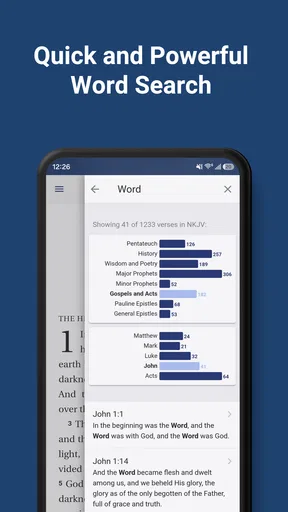
- Helpful search tools make finding verses and topics quick
- Supports multiple reading plans for structured daily study
- Audio Bible options can make listening convenient on the go
- Useful bookmarking and note features for personal reflection
Limitations of Literal Word Bible App
- Some translations or features may require in-app purchases
- Audio content can use significant storage and mobile data
- Large text libraries may feel slow on older devices
- Limited study tools compared with dedicated Bible research apps
- Notifications may become distracting if too many reminders are enabled
Similar Picks in This Category
View All
Google Play Books & Audiobooks
Google LLC4.7

네이버 - NAVER
NAVER Corp.3.5

Wattpad - Read & Write Stories
Wattpad.com3.7

King James Bible - Verse+Audio
Ozion4.8

Bible Offline-KJV Holy Bible
Bíblia Offline4.9

Amazon Kindle: Reading App
Amazon Mobile LLC4.8
Frequently Asked Questions
What is the Literal Word Bible App?
Literal Word Bible is a Bible-reading and study app designed for users who prefer a more direct, word-for-word style of Scripture translation. It typically presents biblical text with study-focused tools, making it useful for comparing wording, examining passages, and reading without the distractions found in many larger Bible platforms. It is aimed especially at readers interested in close study and literal interpretation.
What Bible translation does Literal Word use?
The app is centered on the Literal Word translation, which seeks to stay close to the wording and structure of the original biblical languages while remaining readable in English. Because translation philosophy can affect how verses appear, users who regularly study the Bible may appreciate comparing its text with other translations. It should be viewed as a study resource rather than a replacement for broader translation comparison.
Does Literal Word Bible work offline?
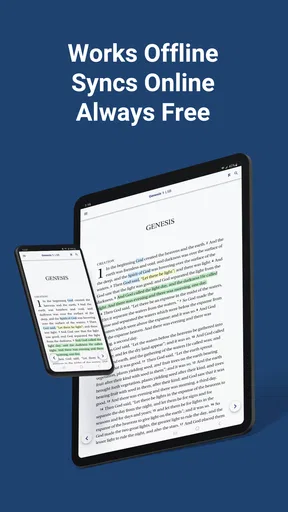
Offline availability can depend on the app version, device, and the way its Bible content is delivered. After installing the app, users should open several books and passages while connected to the internet to check whether the text remains accessible without a connection. If offline reading is important for travel, church, or limited-data situations, confirm this feature in the current app listing and settings.
What study features are available in the app?
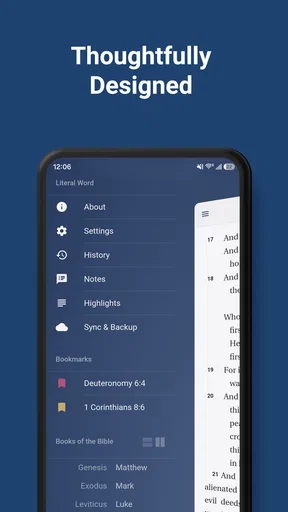
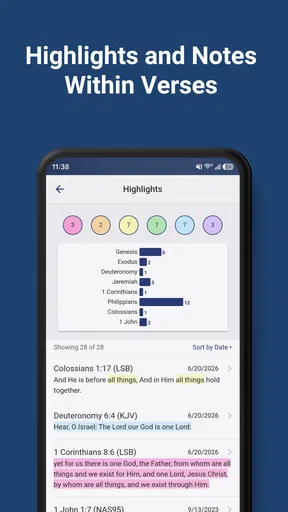
Literal Word Bible is primarily useful for reading and examining Scripture, but the exact tools may vary between Android and iOS versions. Depending on the release, users may find features such as passage navigation, search, bookmarks, notes, highlighting, reading history, or adjustable display settings. Anyone expecting advanced sermons, devotionals, audio Bibles, or extensive commentaries should review the current feature list before downloading.
Is Literal Word Bible free to download and suitable for beginners?
The app may be available to download at no initial cost, although store policies, optional purchases, or platform differences can change over time. It can be suitable for beginners who want a straightforward Bible-reading experience, but the literal translation style may require occasional comparison with another version. New readers may find it helpful to use the app alongside introductory notes or a trusted study Bible.
